Monday, 3 April 2023

Maya Rigging: Joint-based collision detection using Maya muscle nodes

 I recently found a great tutorial on created live-collision joints using Mayas in-built muscle system nodes. I thought this was a really clever solution as it is importantly real-time, meaning animators can see the output immediately, and it utilises nodes already existing within Maya.


To read up on how to create this awesome looking system, take a look here:

http://www.rihamtoulan.com/blog/2018/3/24/faking-collisions-with-joints-based-setup-8snd2

Thursday, 23 March 2023

Python Generators - using yields and generators

Python generators were something that alluded me for quite a while. A spooky concept that didn't seem necessary. However after using Coroutines in C#, it sort of became a little more clear. 

Then, recently I stumbled across an excellent blog post explaining what generators do, how and when to use them:

https://github.com/qingkaikong/blog-1/blob/f453d320c06ac5b1a8d43380f9e6f9d9cf8c3022/content/2013-04-07-improve-your-python-yield-and-generators-explained.md

Check it out!

Monday, 9 January 2023

FrancoJam Gamejam Winners 2022!

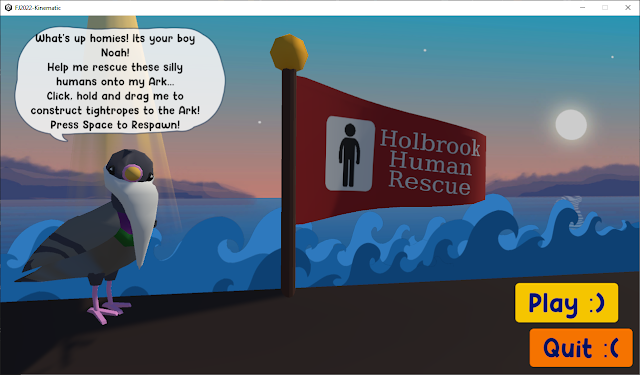
Towards the end of last year I took part in Creative Assembly's GameJam, and it just got announced that our team won! Hooray!

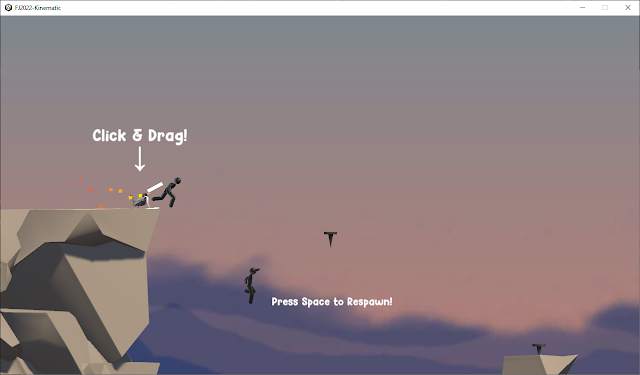
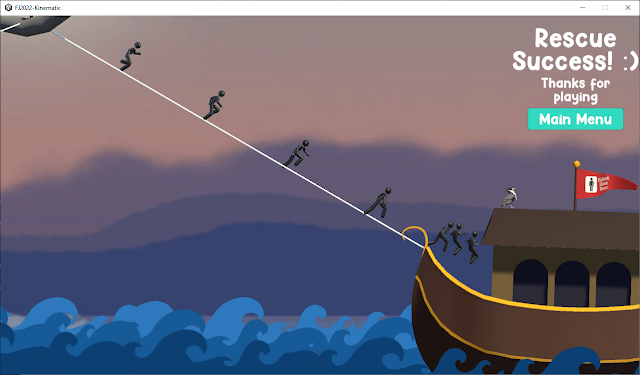
This year's theme was 'Animal Rescue' inspired by Creative Assembly's charity of the year, so we decided to put a spin on the theme and make a game about an animal (Noah the pigeon) rescuing humans onto his ark. We had a total of 48 hours to make the game.

The idea for the gameplay is to launch Noah the pigeon via a catapult click & drag mechanic to connect a tightrope to pins scattered throughout the level, thus creating a path for the humans to walk across and board the Ark.


We created the game in Unity, and used other DCC's such as Maya and Photoshop to help create the assets. I'm really pleased with the way this game turned out, and even more proud of our team that took home the trophy! Good job Team Kinematic!

Credits:

Alex Tavener(me) - Art (pigeon, ark, background)

Ross Harrop - Art (humans, environment)

Chris Kemp - Programming

Chris Kozlowski - Audio

William Fynn - Moral support & ideas consultant


GG!


Monday, 14 November 2022

Houdini: Linking/connecting multiple parameters

 Let's say you have a subnet, with near identical parameters to multiple sub-nodes within. How do we go about linking them all? We could tediously, arduously right click > copy > right click > paste relative references for every attribute we want to copy, or...

1.) Open up 'parameter interface' of the subnet, and go to the 'channels' tab

2.) Under 'Linked Channels', type subNode/subNodeparameterName  Do this with all nodes you want to link. I found that you can quickly iterate through nodes using a simple IDE/text editor. ONCE FINISHED TYPING, PRESS ENTER! THIS IS INCREDIBLY IMPORTANT!

3.) Click 'Apply' - That's it, all your nodes are now linked via the main subnet node.

For multiparms this functions a little differently, insofar that these 'connections' must be made during attribute instantiation on the master node. If you try to edit/append/remove after the instantiation of the multiparm master attribute, it will not make any changes to the sub node attibutes. I can only assume this is a bug.

Also, occasionally these 'Linked Channels' will appear on the 'Parameter' tab instead of 'Channels'. Pesky Houdini.